
StudySpotsTO
A mobile app to discover and share the best study locations around campus, taken from course prototype to Material 3 redesign and working React build
Role: UX Designer & Researcher
Timeline: May - July 2025 (12 weeks), iterated in 2026
Tools: Figma, Material 3 Design Kit, React, Notion, Google Forms, Nielsen Heuristics
Course: CFPN535 Final Project, Toronto Metropolitan University
The Problem
Toronto students waste valuable study time wandering campus looking for quiet spaces with outlets and Wi-Fi. Between classes, they often arrive at cafés or libraries only to find them overcrowded or unsuitable. Generic tools like Google Maps don't provide study-specific filters (noise level, outlet availability, seating comfort), leaving students frustrated during peak exam periods.
How might we help students quickly find reliable study spaces that match their specific academic needs?
Research
Survey Insights (27 respondents)
Conducted user research across TMU, UofT, and other Toronto institutions:
- 74% of students study outside home 3-4 times per week
- 4.48/5 agreement: "I would benefit from filtering spots by Wi-Fi, plugs, and noise"
- 4.00/5 agreement: "I find it difficult to locate good study spots on the go"
Top priorities when choosing study spaces:
- Outlet availability (avg. rank 2.4)
- Distance from campus (3.0)
- Seating comfort (3.4)
- Noise level (3.6)
Key insight: Students prioritize practical infrastructure over amenities. Wi-Fi ranked lower because it's assumed baseline: outlets and proximity matter most.
Personas
Created Emily Chen, a 21-year-old Commerce student with a 1-hour commute who studies in short blocks between classes. She needs fast, reliable information to maximize productivity during 35-minute gaps and values community contribution.
Design Process
Requirements Framework
Mapped user needs to functional requirements:
| User Need | Design Requirement |
|---|---|
| Find quiet spaces with outlets | Multi-filter system (Wi-Fi, noise, outlets, seating) |
| Avoid wasting time | Student-contributed reviews with photos and pros/cons |
| Access nearby options | GPS-based discovery sorted by walking distance |
Use Cases & Task Analysis
Defined three core scenarios:
- Between-class gap: 35-minute break, needs quick spot with outlets
- Early arrival: 1 hour before class, wants quiet prep space
- Group meeting: Last-minute collaboration, needs group seating
Broke down each task into subtasks with functional and non-functional requirements (e.g., "results load in <2 seconds," "WCAG 2.1 compliant").
Lo-Fi Prototyping
Created hand-drawn wireframes for:
- Home view with category filters (University, Library, Café, Co-working)
- Search modes (List vs. Map view toggle)
- Filter panel (noise level, category, distance)
- Spot detail view with ratings and reviews
- Profile and saved spots
Platform pivot: Initially planned as mobile-optimized web app, shifted to fully native mobile based on feedback that students primarily use phones on campus.
Evaluation
Heuristic Analysis
Conducted peer and self-evaluation using Nielsen's heuristics:
Critical issues identified:
- H1: Visibility of system status (Severity 2): No confirmation when filters applied or reviews submitted
- H8: Visual hierarchy (Severity 3): Uniform text sizes made scanning difficult
- H3: Navigation clarity (Severity 2): No active state indicator on bottom nav
Response to findings:
- Added real-time filter confirmation tags
- Introduced typography scale (headings vs. body)
- Implemented active nav indicators
- Surfaced key amenities (outlets, Wi-Fi, noise) on result cards using badges
Final Prototype
High-Fidelity Screens (Figma)
Built polished mobile interface with:
Core Features:
- Location-based discovery: GPS integration showing spots within 2km
- Detailed spot pages: Hours, accessibility info, user reviews, photo galleries
- Quick review submission: Star ratings, optional photos, confirmation messages
- Saved spots: Profile section for bookmarks and review history
Home Search Filters Filtered: Tables List view Map view Spot listing
Add Review Reviews Full review Profile Saved Spots
These are the screens as submitted for the course in 2025.
Design System:
- Clean visual hierarchy with Inter typeface
- Blue accent colors for CTAs, gray scale for hierarchy
- Touch-optimized 44px tap targets
- Icon system for amenities (outlet, Wi-Fi, noise, seating)
MVP Scope Decisions
Removed features:
- Live crowd reporting (requires large user base)
- Gamification/leaderboards (added complexity)
Focused on: Curated, consistent user reviews that help students make informed decisions without relying on real-time data.
Post-Course Iteration: Material 3 Redesign (2026)
After the course ended, I rebuilt the prototype on Google's Material 3 Design Kit to close its gaps and make it easier to maintain.
| Course version | Material 3 version | |
|---|---|---|
| Screens | 13 | 26 frames |
| Organization | One flat canvas | 9 labeled user journeys |
| Layout | Fixed positions | Nested auto-layout |
| Sample content | "Location 1 / Location 2" | Real Toronto venues |
- Built on a real design system: Color, Roboto type styles, and components (buttons, chips, text fields, search bar, nav bar) all come from the Material 3 kit.
- Complete user journeys: Onboarding, Home, Search & Discovery, Spot Detail & Add Review, Reviews, Profile, Saved Spots, Settings (Notifications, Account, Privacy & Data), and Help & Support. Each journey reads left to right, so no path dead-ends.
- Real content: Spots like Robarts Library and Toronto Reference Library, with each review tied to the right venue.
- Kept the original intact so both versions can be compared side by side.
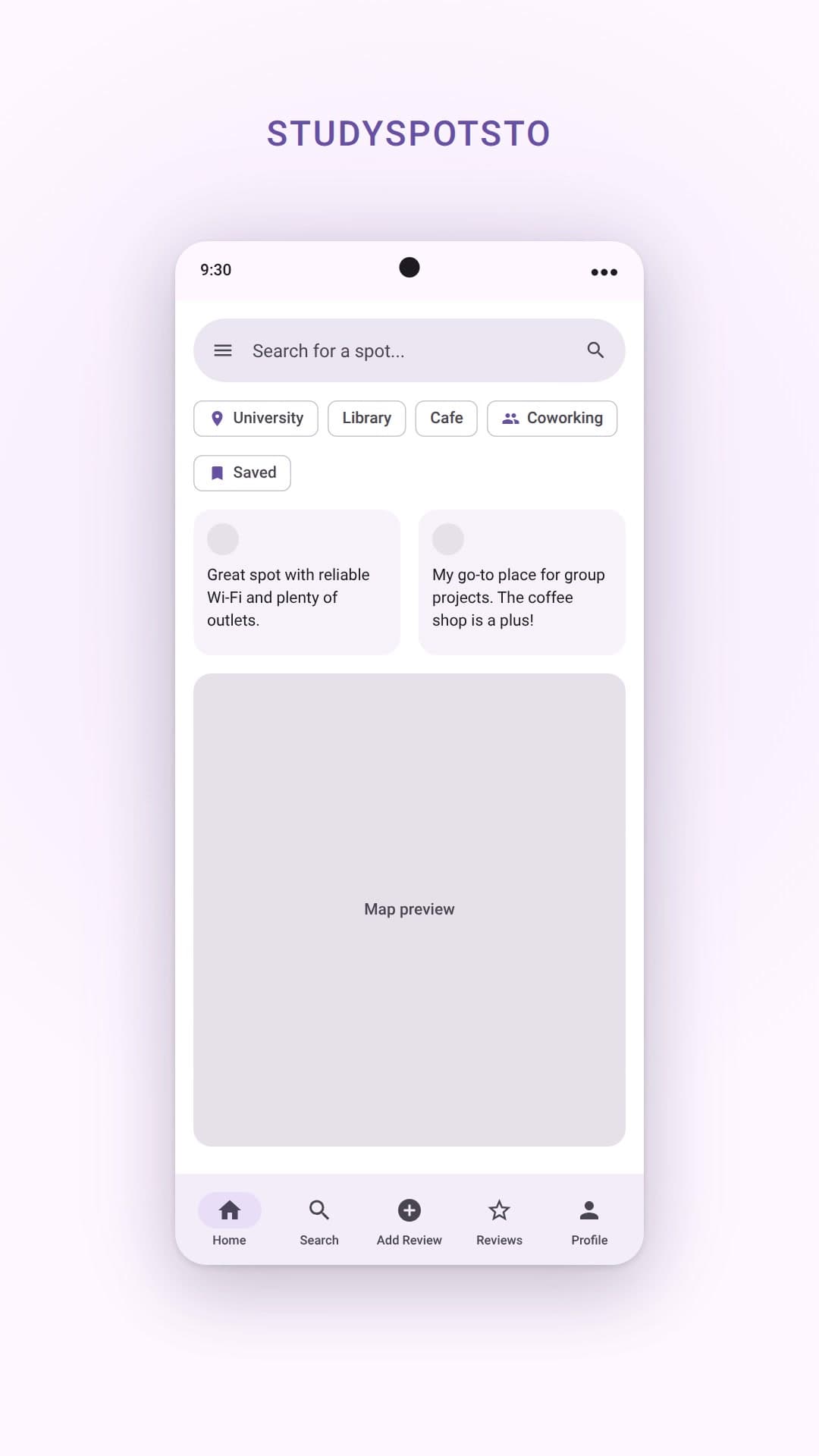
Home · 2025 course Home · Material 3 Search · 2025 course Search · Material 3 Add Review · 2025 course Add Review · Material 3
The Material 3 Screens
Onboarding and Home:
Onboarding: Log in Home
Search and discovery:
List view Filters Map view Filtered: Coffee Filtered: Tables Location preview
Spot detail and reviews:
Spot detail Add Review Reviews Full review
Profile, saved spots and settings:
Profile Edit Profile Saved Spots Settings Notifications Account Privacy & Data Help & Support
Launch Video
Produced a 21.5-second vertical walkthrough: the hook ("Midterms. Every seat is taken."), filtering to quiet spots, a spot detail page, adding a review, and the close ("Stop walking. Start studying."). All on-screen text meets WCAG AA contrast.
Outcomes & Learnings
Key Achievements
- Created user-centered solution addressing real pain point validated by 27+ students
- Applied full UX process: research → requirements → wireframes → evaluation → hi-fi prototype → coded app
What I Learned
- Scope management: Cutting features (crowd levels, gamification) strengthened the core MVP
- Research drives design: Survey data directly shaped filter priorities (outlets > noise > hours)
- Iteration matters: Heuristic evaluation revealed 5+ usability issues that dramatically improved final prototype
- Design and code drift fast: The app and the Material 3 file now use different design systems, which showed me why shared tokens matter from day one
Next Steps
- Move the Material 3 tokens into the app so design and code share one system
- Store saved spots in the database (currently browser-only)
- Run an accessibility audit and usability testing on the coded app
- Integrate City of Toronto Open Data for initial venue seeding